車場無網絡點充電?Wall Case 3 拍卡及延遲充電設定No signal in the carpark? Charging a Wall Case 3 with RFID and a delay timer
地庫、舊式屋苑停車場,手機經常一格訊號都冇。Wall Case 3 不靠網絡都用得:機身側面兩個掣設定功率同延遲時間,拍卡開始、拍卡停止。連 2 張 RFID 卡。逐步連相片教一次。Basements and older estate carparks routinely have no signal at all. A Wall Case 3 doesn't need one: two buttons on the side set the current and the delay, and an RFID card starts and stops the session. Two cards are included. Here's every step, with photos.
2026-09-22技術知識Technical
「車場冇訊號,部充電機仲用唔用得?」
用得,而且不影響任何功能。Wall Case 3 的充電、功率調校同延遲充電全部在機身上完成,網絡只是用來做 APP 遠端操作 —— 沒有網絡,就用 RFID 拍卡。每部 Wall Case 3 連 2 張 RFID 卡。
"There's no signal in our carpark — will the charger still work?"
It will, and nothing is lost. Charging, current adjustment and the delay timer all happen on the unit itself; the network is only for app control. Without one, you use an RFID card — and every Wall Case 3 ships with two.
If your bay has a stable signal, you can set the delay and a repeating daily schedule from the app without going down to the carpark at all — see running it from the app. This guide is for the bays that can't.
Seven steps
1. Turn on the isolator
Usually mounted beside the charger or near the meter. It can stay on; you only switch it off for maintenance or a long absence.
2. Plug in
Push until it clicks. At this point the charger is only talking to the car — no power is flowing yet.
3. The two buttons on the side
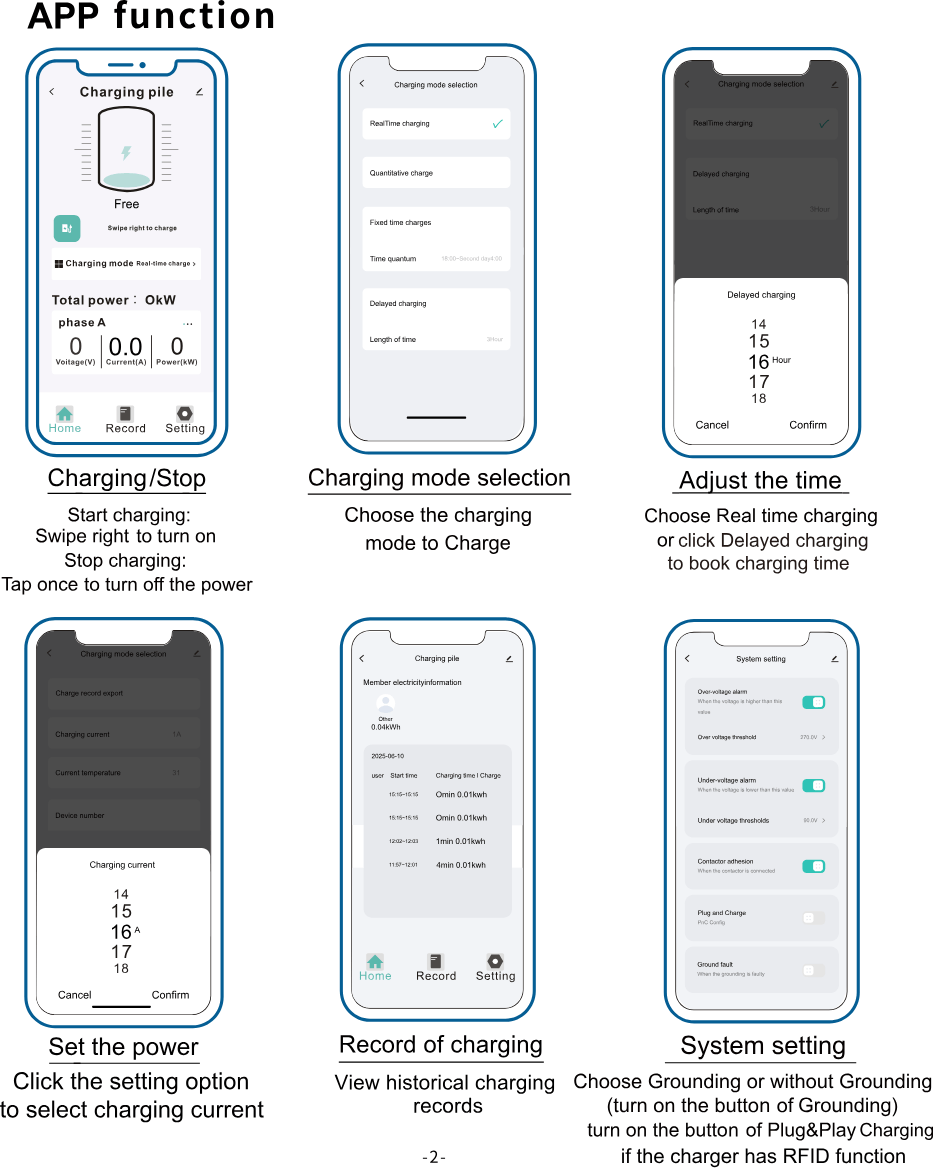
"A" on top adjusts the current (6A – 32A). The clock below sets the delay (1 – 12 hours).
4. Set the delay — this is the step that saves money
Each press adds an hour, 1 to 12. "7H" on the screen means charging starts in seven hours.
For example:
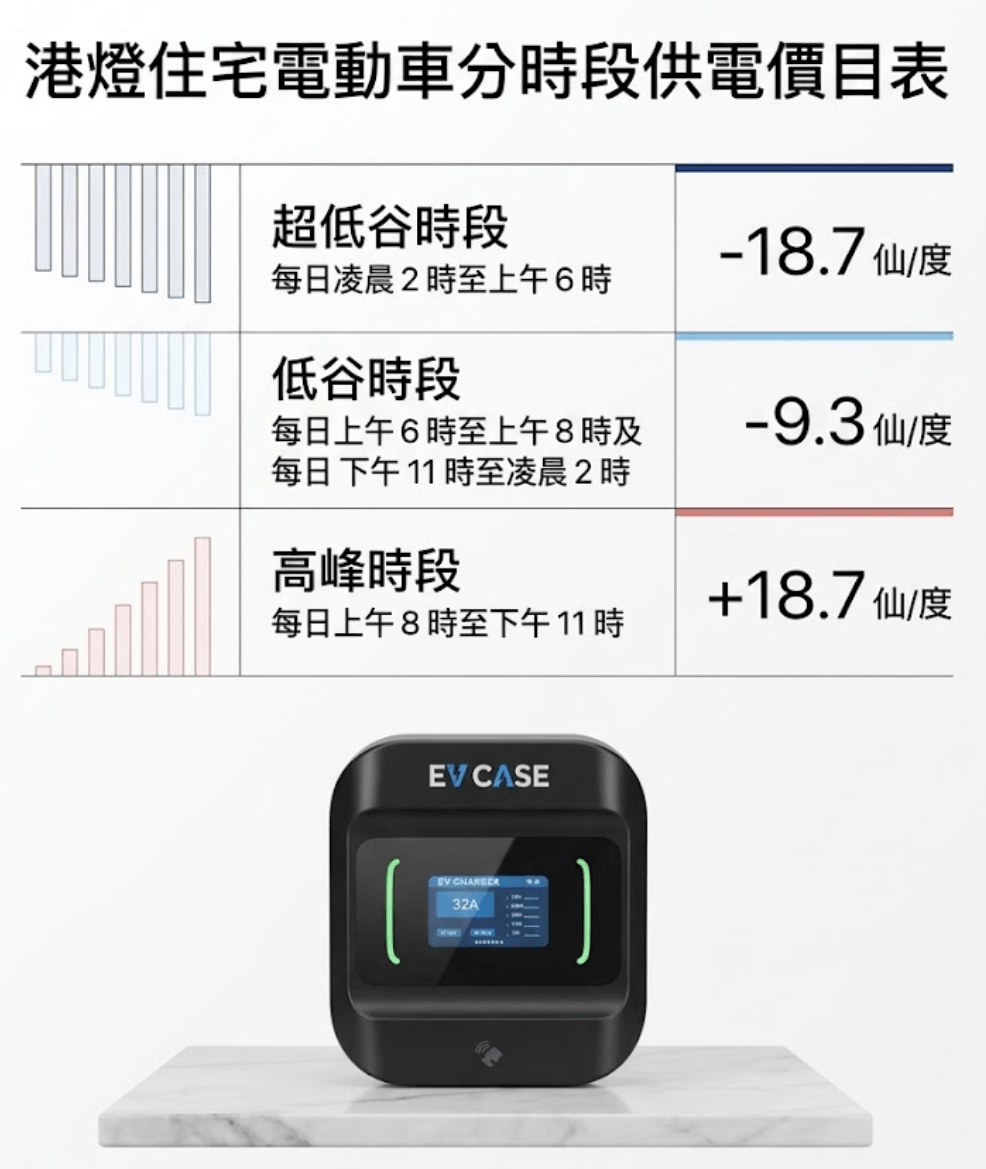
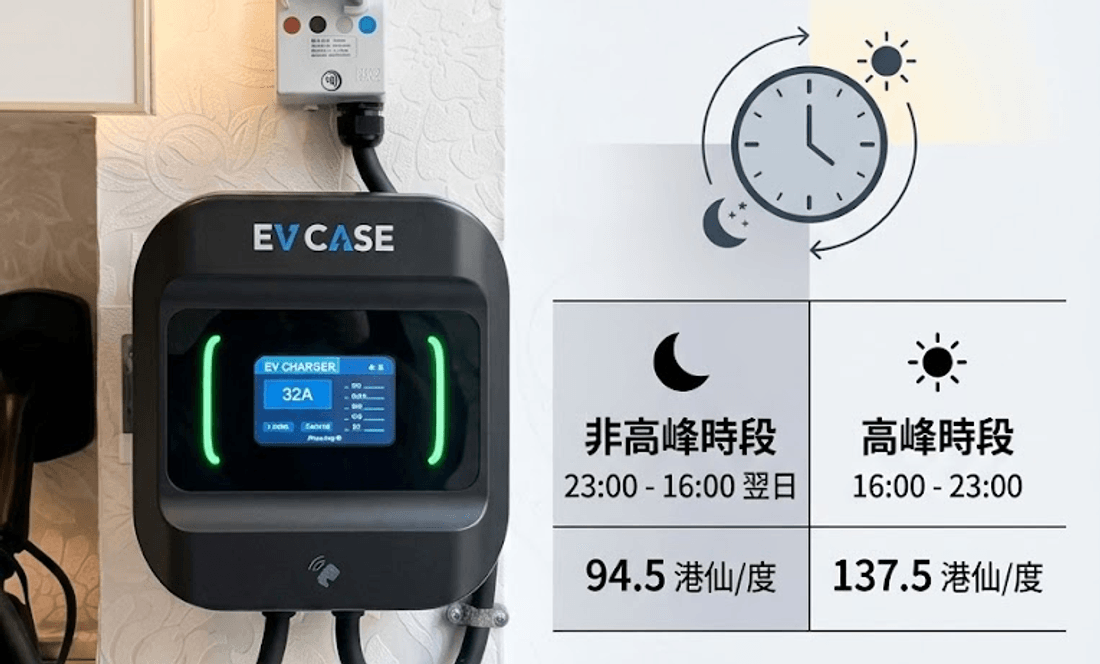
CLP customers: off-peak starts at 11pm. Plug in at 7pm, set four hours.
HK Electric customers: super off-peak starts at 2am. Plug in at 10pm, set four hours.
Adjustable from 6A to 32A, with the setting shown in the middle of the screen.
Most of the time, leave it at 32A (7kW). The two reasons to turn it down: a tight meter capacity, or wanting headroom while the rest of the home is drawing heavily.
6. Tap to start
The reader is on the lower part of the body. Green light bars and a running screen mean the session has started — with a delay set, power begins when the timer expires.
7. Tap to stop, then unplug
The same card stops the session.
Stop first, unplug second. Pulling a live connector is hard on both the plug and the car's port.
Questions we get
I lost a card.
WhatsApp us for a replacement — cards are paired to your unit, so a new one has to be registered.
Can I have more than two cards?
Yes, extra cards can be added. One each for the household, or one for a tenant, is common.
Do I have to set the delay again the next day?
Yes. The on-unit delay applies to the current session. For a repeating daily schedule you need the app, which needs a signal.
I set a delay but now I want to charge immediately.
Tap to stop, tap again to start; the delay resets to zero.
The carpark gets network coverage later — can I then use the app?
Yes. The same unit supports both modes; connect it once there's a signal.
Not installed yet? Check the signal first
We check coverage at the bay during the site survey. It decides whether you'll be using the app or a card — and it also bears on CLP's requirement that the smart meter sits somewhere with good wireless signal.

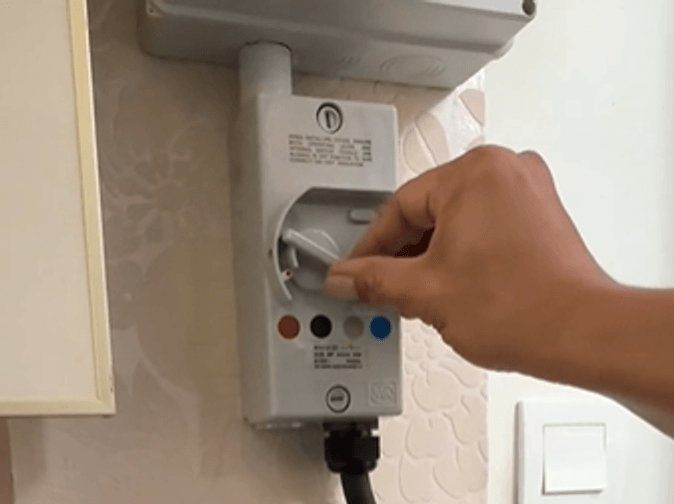 刀掣一般裝在充電樁旁邊或電錶附近。平時可以長開,維修或長期離開才需要關掉。
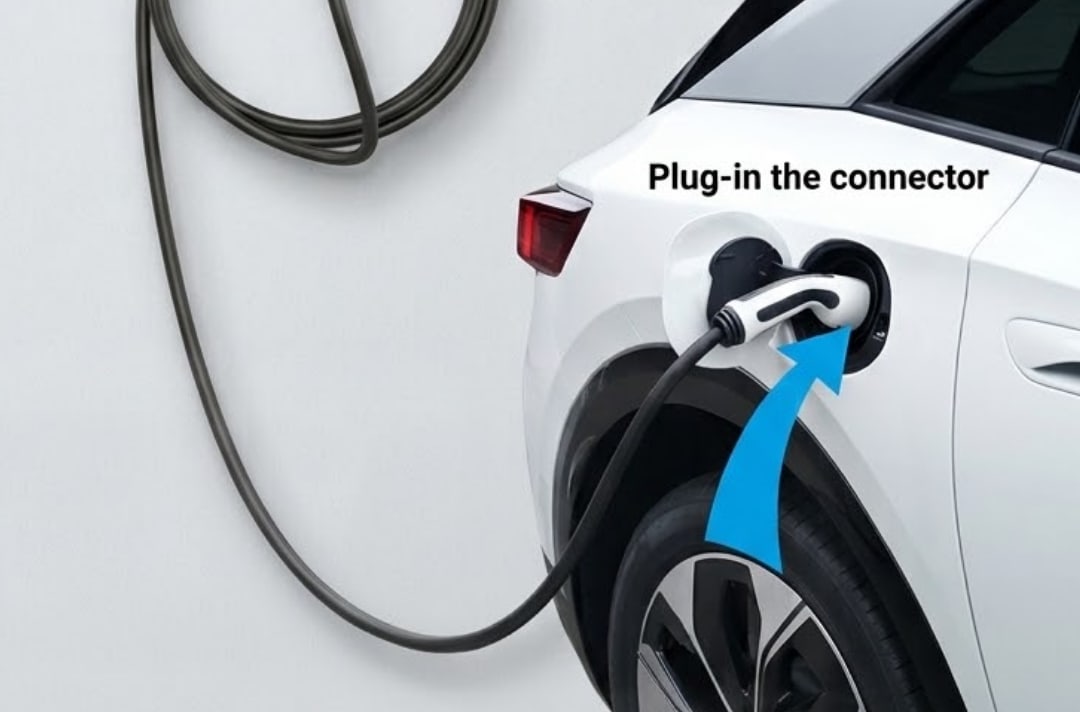 插到底、聽到「咔」一聲即可。這一刻充電器只會通訊,未開始充電。
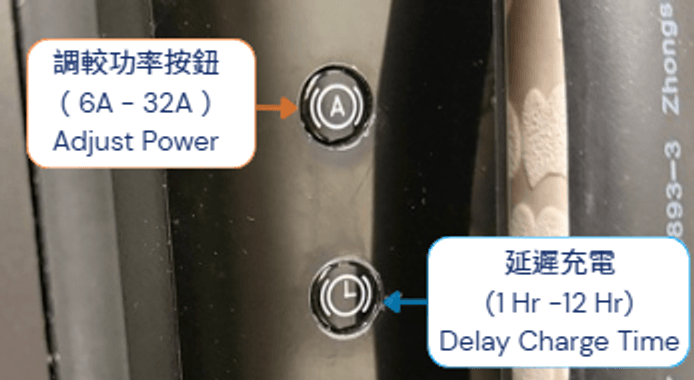 上面「A」是功率掣(6A – 32A),下面時鐘掣是延遲充電(1 – 12 小時)。
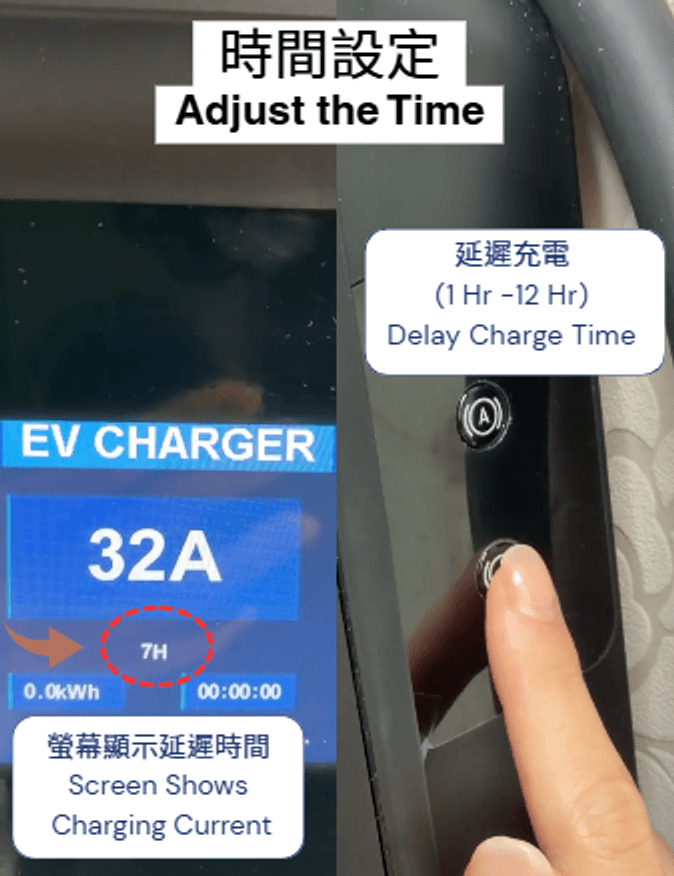 每按一次加一小時,1 至 12 小時。螢幕上顯示「7H」就是 7 小時後開始充電。
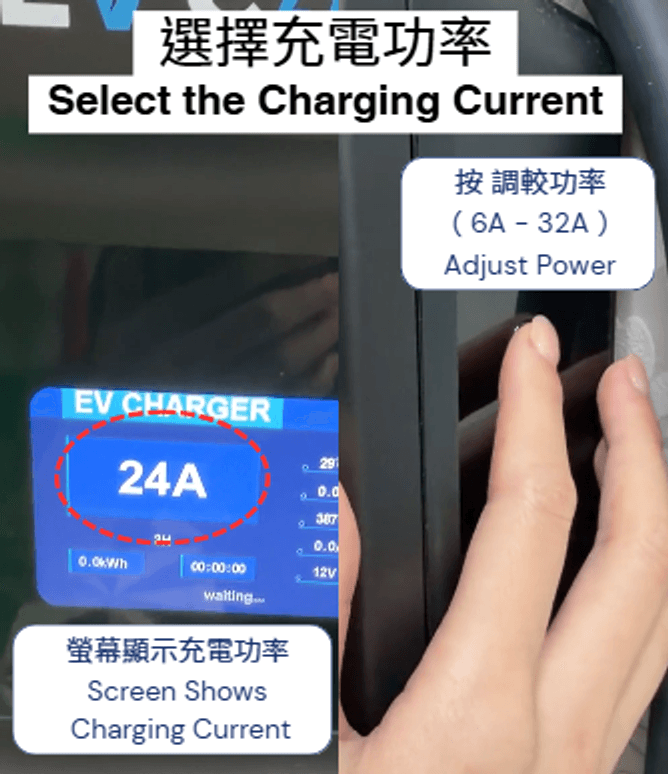 6A 至 32A 可調。螢幕正中顯示現時設定的電流。
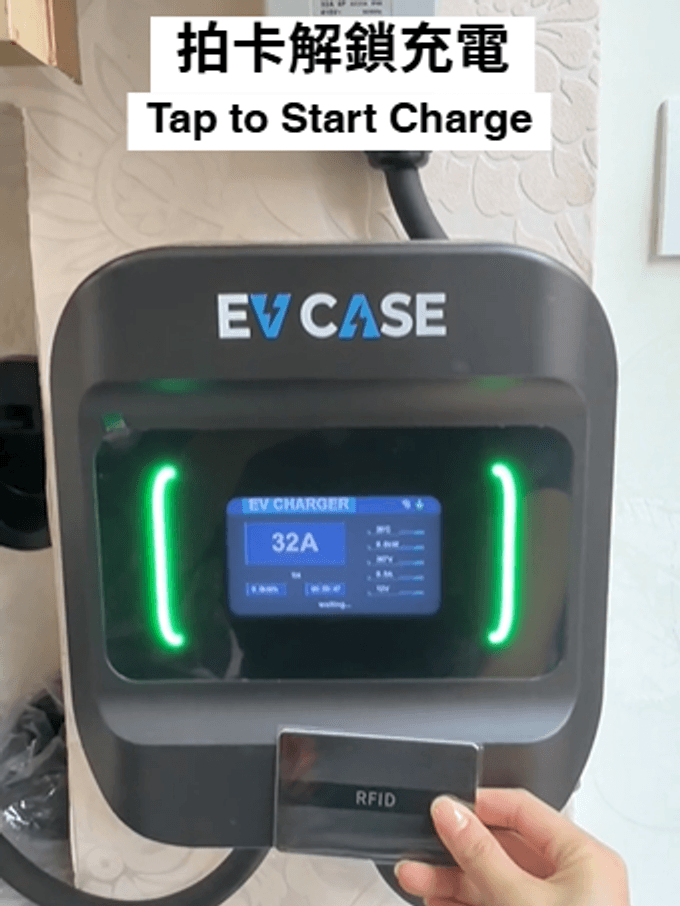 拍卡位置在機身下方。兩邊燈轉綠、螢幕開始計數,即代表已開始(設了延遲的話,會等到時間才真正輸出電力)。
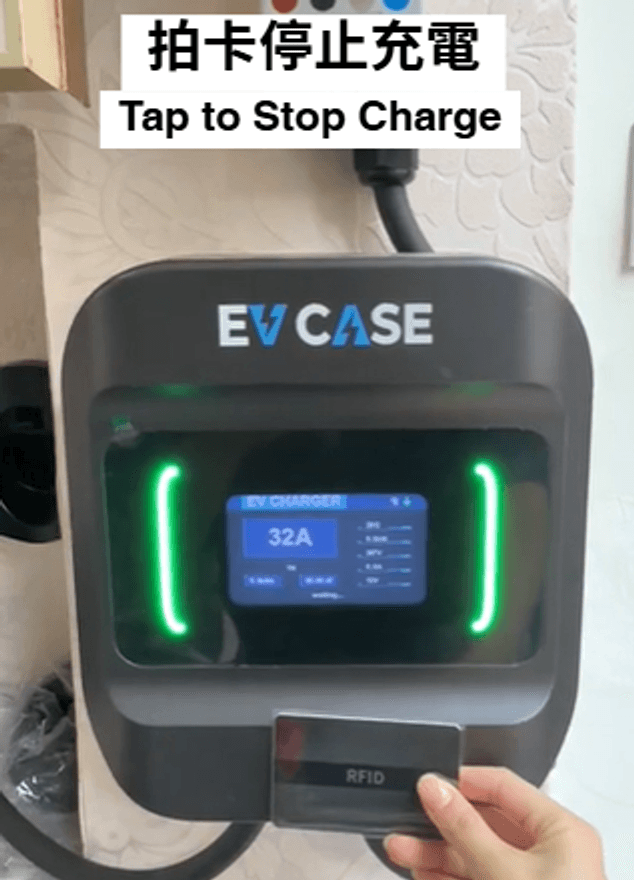 同一張卡再拍一次就停止充電。
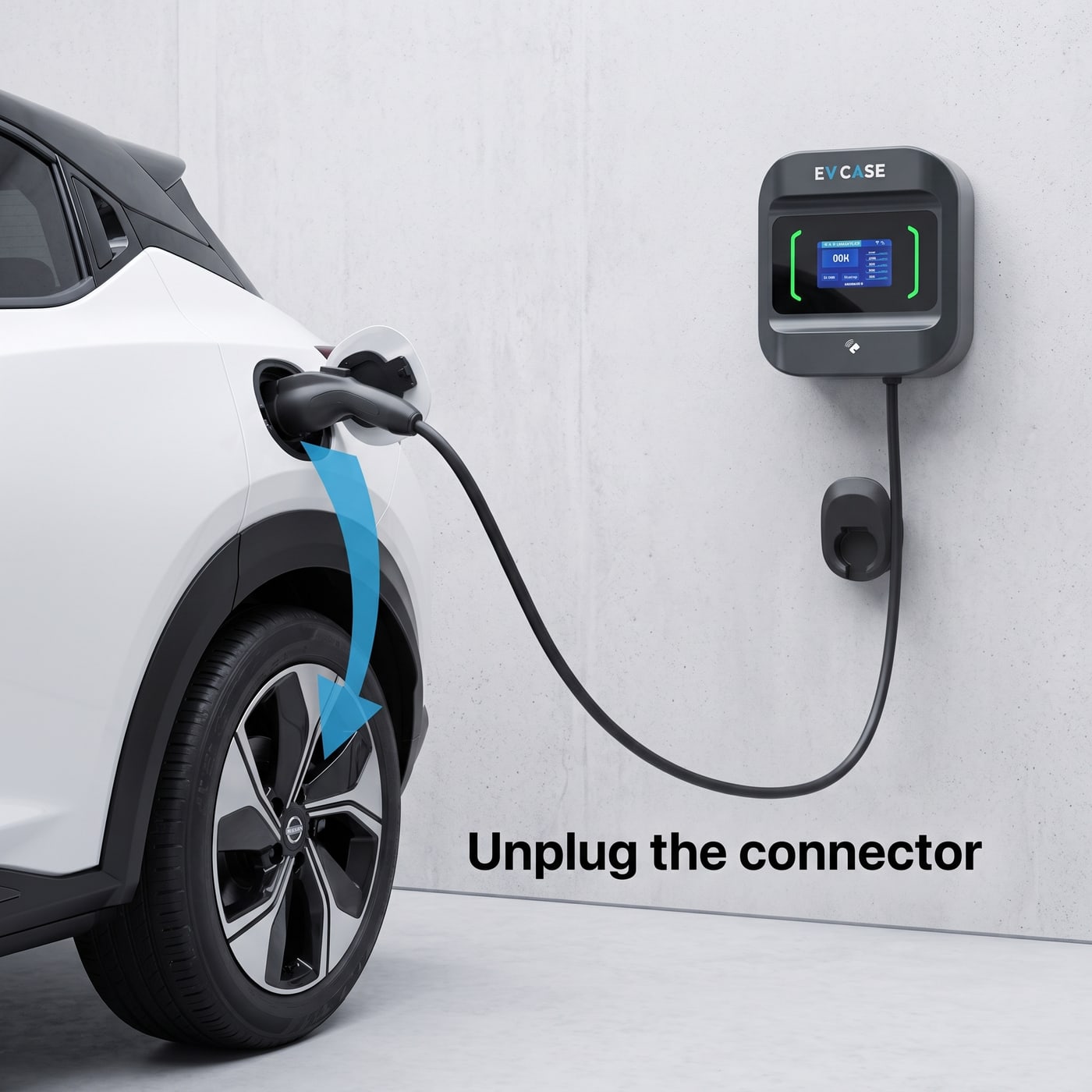 先停止,後拔槍。帶電拔槍對插頭同車輛充電口都不好。